📑Table of contents
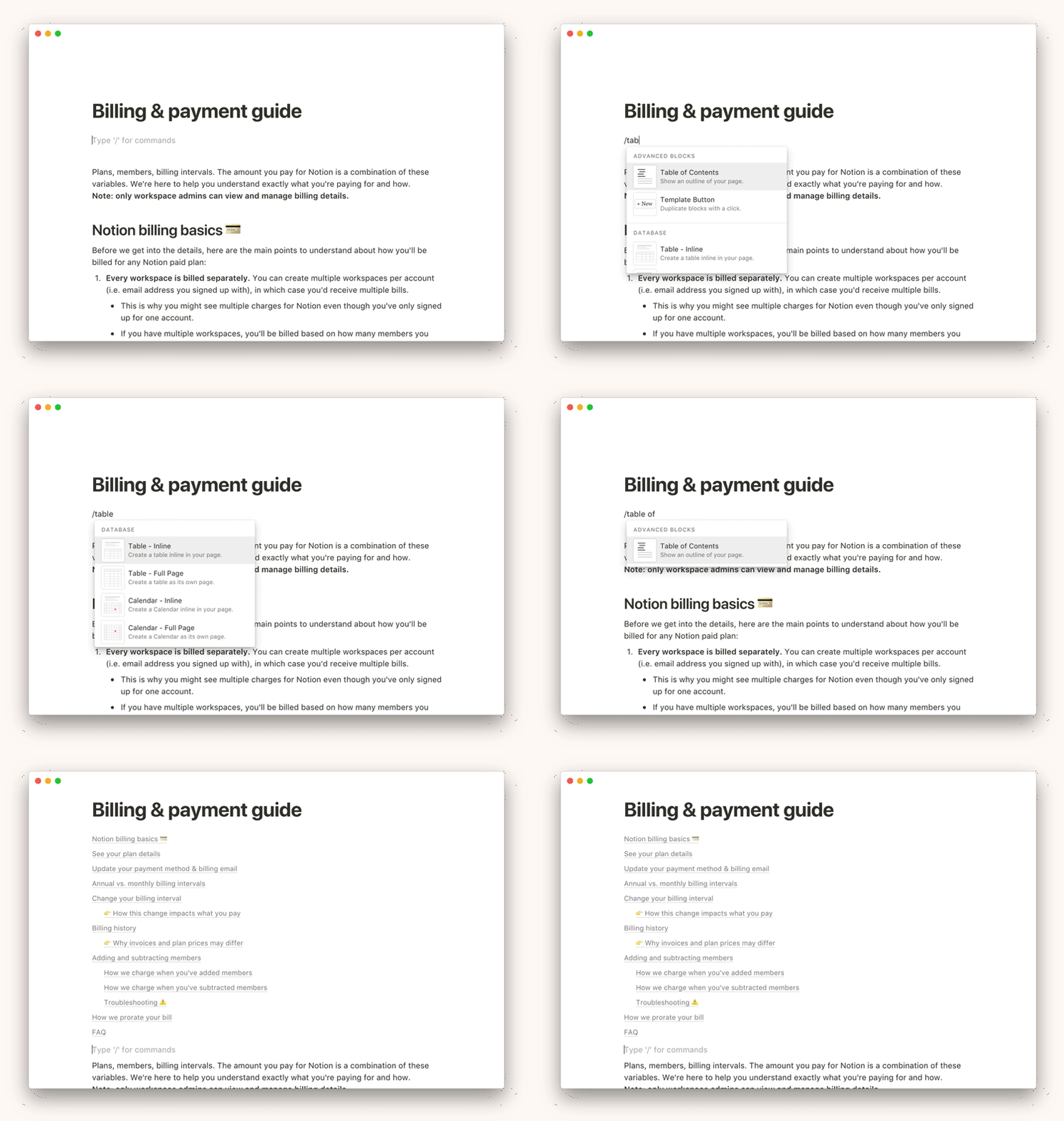
Ability to add a block with a table of contents created automatically on the basis of H1, H2, H3 titles
The table of contents allows you to easily navigate through the document.
By adding, for example, at the beginning of the document, you can quickly see the structure and you can easily go to any fragment.
Idea:
https://www.notion.so/Table-of-contents-50de58f824bf4100a4a9fa5b6f783c2b
Log in to comment and vote
Comments15
Jul 22, 2023
Jack S.
Jul 22, 2023
WOW 👍
It will make my job much easier.👍
I use it frequently in Notion - I it will slowly move to Upbase 🙂
Shane O'Quinn
Sep 9, 2023
Tony Pham: you guys are awesome!
Aug 17, 2024
Shane O'Quinn
Sep 21, 2023
This looks great so far. The only tweak would be to indent h2 and h3 to create some visual hierarchy.
Shane O'Quinn
Sep 13, 2023
This is the one feature that people have been asking with evernote for over a decade and you solve it in a week:-) great job
RDUser2022
Nov 17, 2024
Would be better if this were on the right side of the page like in something like Outline
Jack S.
Nov 22, 2024
👍
.
Arman
May 17, 2024
It makes it much easier if the table of content was placed at the left side of the page so we did not have to scroll up and down
Tony Pham
Aug 17, 2024
Arman: Sticky TOCs will be available soon. Cheers!
Jack S.
Sep 11, 2023
It's already available👍
◾https://upbase.io/blog/new-in-upbase-new-message-layout-callout-and-table-of-contents-for-doc-editor/
Jack S.
Sep 11, 2023
⚠️Note to "Table of Contents"
Header formatting and indentation are missing
H1
__H2
____H3
Jack S.
Sep 11, 2023
🤔
It should display like this