👁 Resize, Reorder, or Hide Columns ↔️🔄
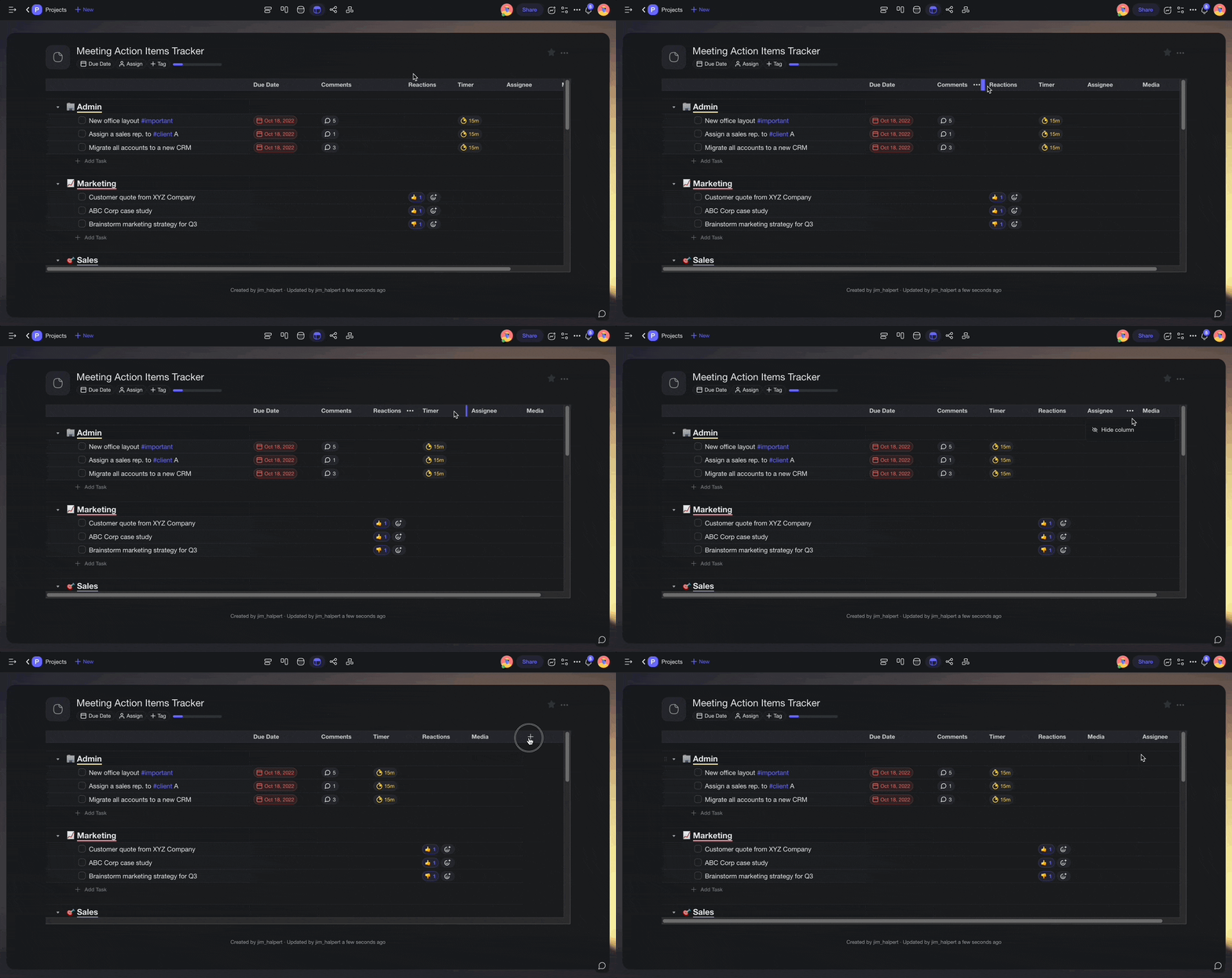
1) Resize: click and hold a column divider and drag it to the left or right.
2) Reorder: click and hold a column header and drag it to the left or right.
3) Hide: click ··· next to a column header ➡ "Hide column" hide-column.png
4) Show: click the ➕ button at the end of a table to add columns again.
- You may need to scroll horizontally to the right to see the ➕ button.
Idea: Taskade
Log in to comment and vote
Comments1
Patsy Gillispie
Aug 9, 2023
Agree! I would love to see my full tag. Right now it's cut off. Love this idea.