UI & UX Improvements: Screen size, task layout, row divider
I’ve encountered a few usability issues while using Upbase that are not user friendly.I believe could be improved to enhance the user experience:
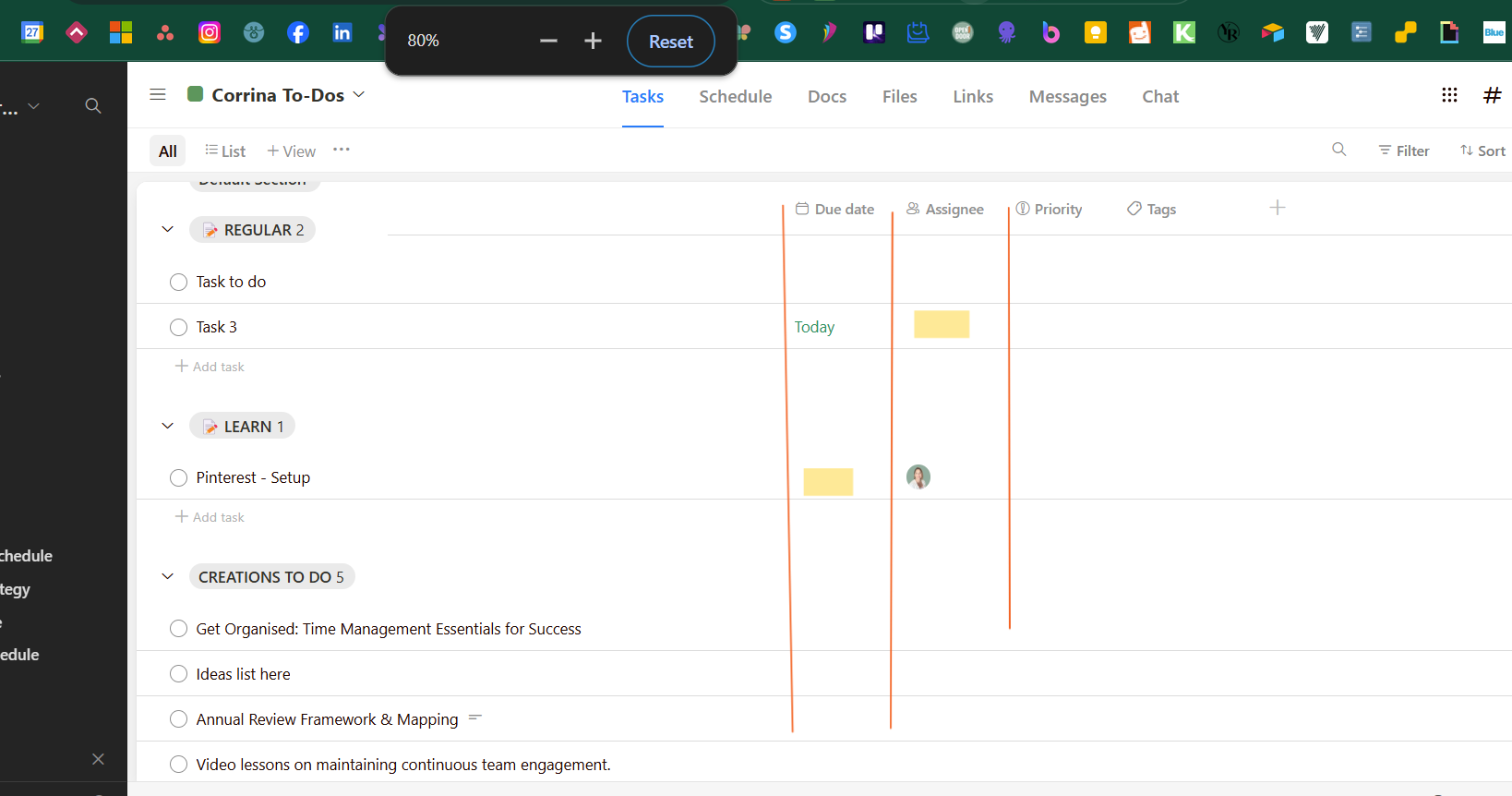
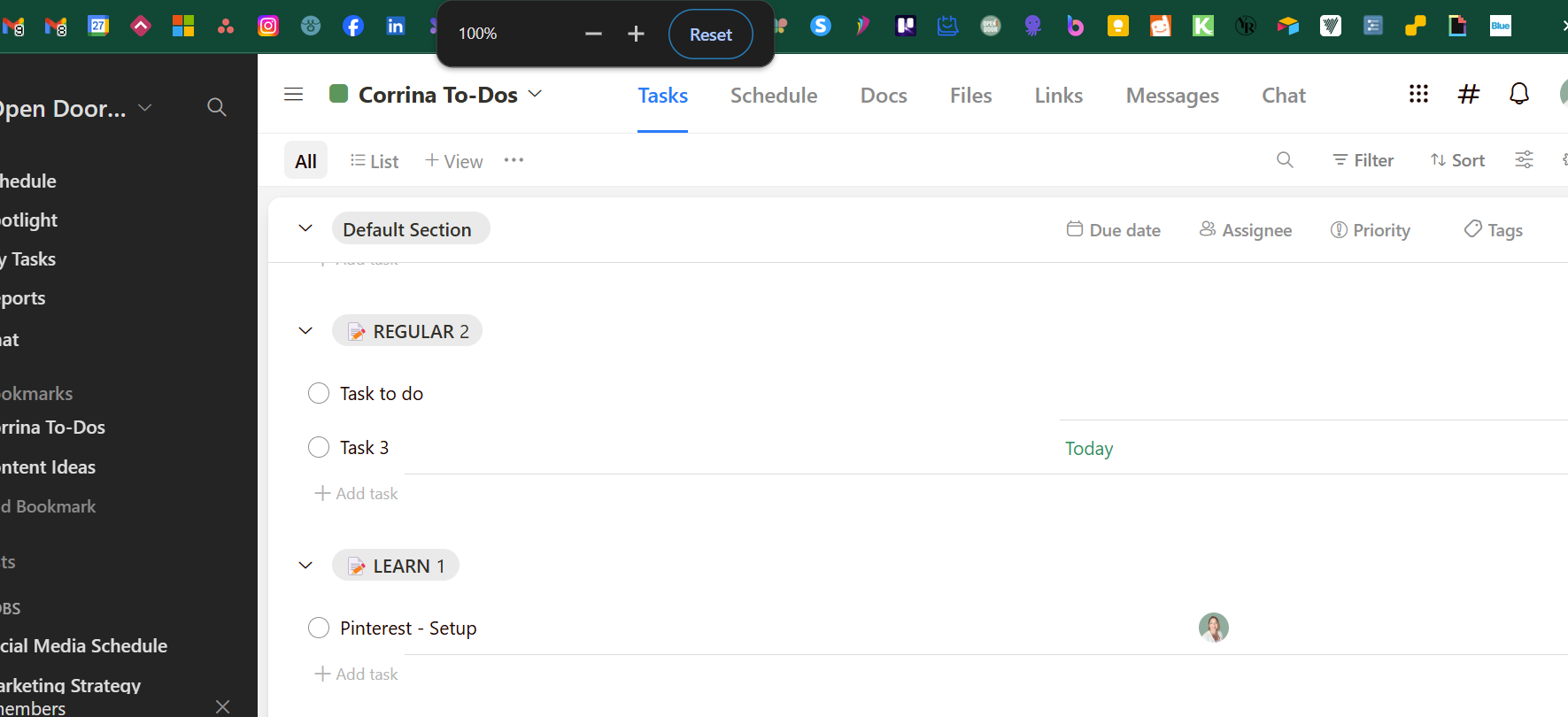
Screen Size Responsiveness: Some row lines disappear in list view at 100% screen size. They become visible when the screen size is reduced to around 80%. A more responsive design would be beneficial.
Floating Tasks: Tasks that are not assigned or lack a due date appear visually unorganised, with no row dividers to separate them. This creates a cluttered look and can be confusing.
Unresponsive in task due date: When clicking the due date field of a task, selecting a date from the pop-up calendar is slow to respond and often requires a second click to select a date. A quicker and more responsive interaction would improve usability.
Empty Task Field Icons: Fields like due date and assignee show blank spaces before data is entered. It would be helpful if the icons (e.g., calendar, assignee) appeared in these fields by default to indicate where to click. Asana uses this UI.
Copy/Paste Multiple Rows: Currently, it’s not possible to copy and paste multiple rows at once. This is a key feature to improve efficiency, especially when managing multiple tasks at the same time.
I am finding myself starting to move away from Upbase due to these UI and UX issues, as they have become quite frustrating. I believe these updates would make Upbase more intuitive and smoother to use if resolved. Look forward to your response and thanks for considering this feedback!
Status: Open
Log in to comment and vote
No comments yet
Be the first to share your thoughts.